
When you’re venturing into the heart of the Australian outback, where the horizon stretches endlessly and the closest neighbour might be a wombat, reliable communication isn’t just a convenience—it’s a survival tool. Mobile phones? Forget it. UHF radios? Handy for convoy chatter but useless for reaching the outside world in an emergency.
Here’s a deep dive into the most common remote communication devices, their pros and cons, and some handy tips to make the most of each. If you’re heading properly remote, one (or more) of these devices could be the difference between a great story and a disaster.
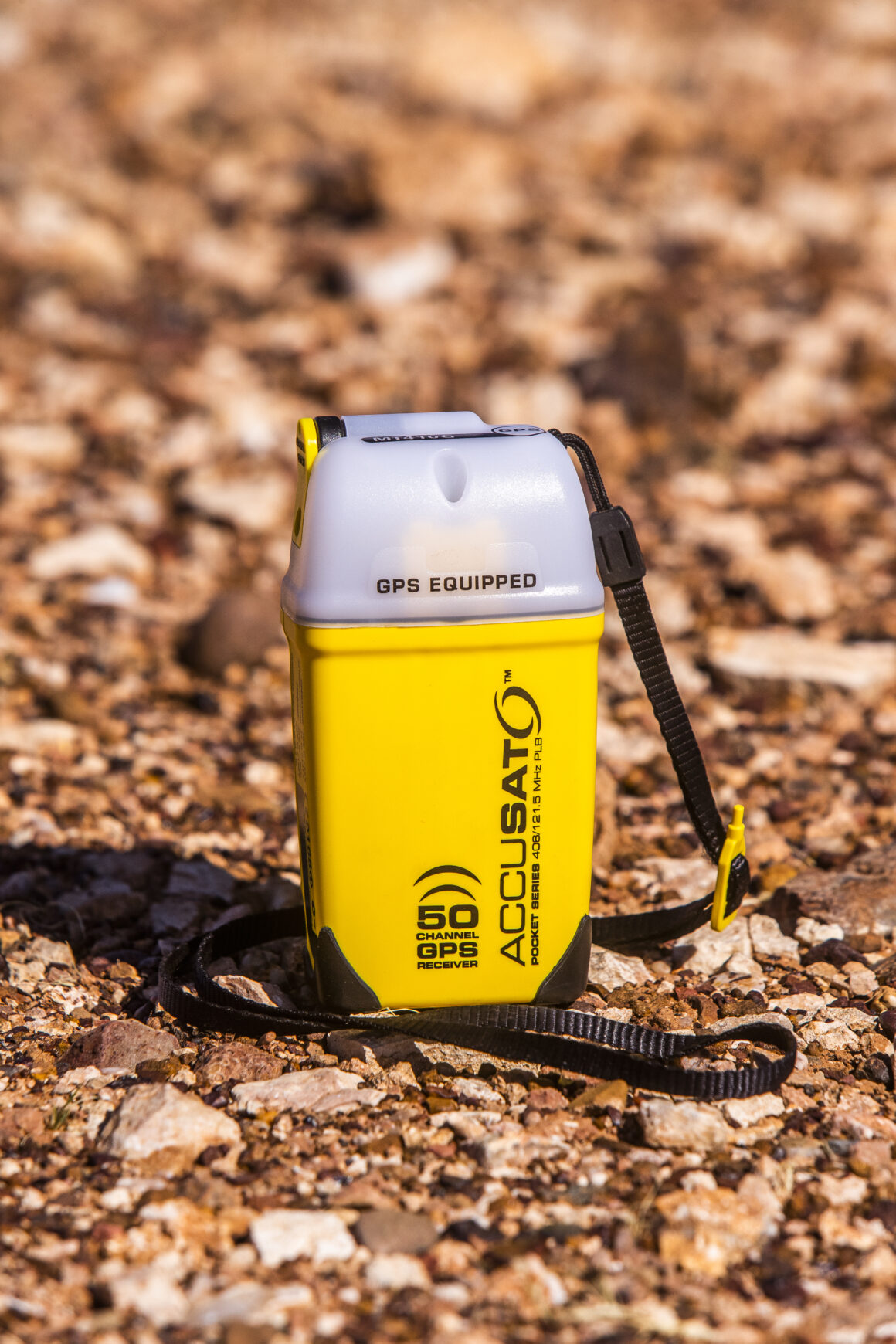
1. EPIRB (Emergency Position Indicating Radio Beacon)
The EPIRB is a no-nonsense, affordable option. Its sole job is to scream “HELP!” when you press the button, sending your GPS location to AMSA (Australian Maritime Safety Authority). From there, AMSA coordinates search and rescue.
Pros
- Simple to use—just press the button.
- Doesn’t rely on cellular or other networks.
- No ongoing fees after purchase.
Cons
- One-way communication. You can’t provide details about your situation or request specific help.
- Only for emergencies—no routine check-ins.
Tips and Tricks
- Register your EPIRB. Make sure AMSA knows who you are and any relevant details, like your vehicle or medical conditions.
- Check the battery. Most EPIRBs have a long shelf life, but that doesn’t mean you should ignore it. Replace it before it expires.
- Attach it securely. Keep it somewhere accessible—inside the glove box or strapped to your pack. You don’t want it buried under a week’s worth of camping gear.
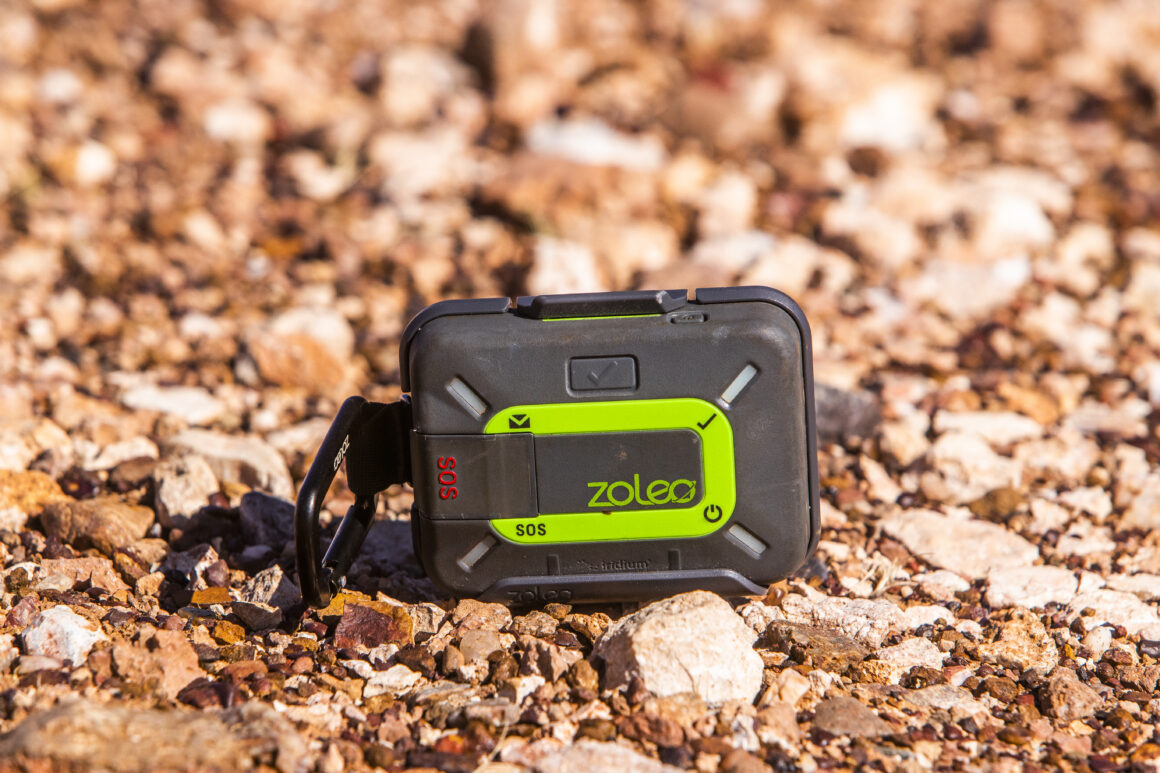
2. Satellite Text Messengers (Zoleo)
The Zoleo is a small but mighty device that allows you to send texts via satellite, no matter how remote your location. It’s got a built-in GPS tracker and an SOS button for emergencies.
Pros
- Lightweight and portable.
- Affordable compared to satellite phones.
- Two-way communication—stay in touch with loved ones or emergency services.
Cons
- Text-only. No voice calls or internet.
- Limited battery life—be prepared with a power bank.
Tips and Tricks
- Pre-load contacts. Save numbers for your emergency contacts and local rescue services before you head off.
- Use tracking features. Some satellite messengers let friends and family track your journey in real-time—great for peace of mind.
- Spare batteries. Cold weather can drain batteries quickly, so keep backups or a solar charger handy.
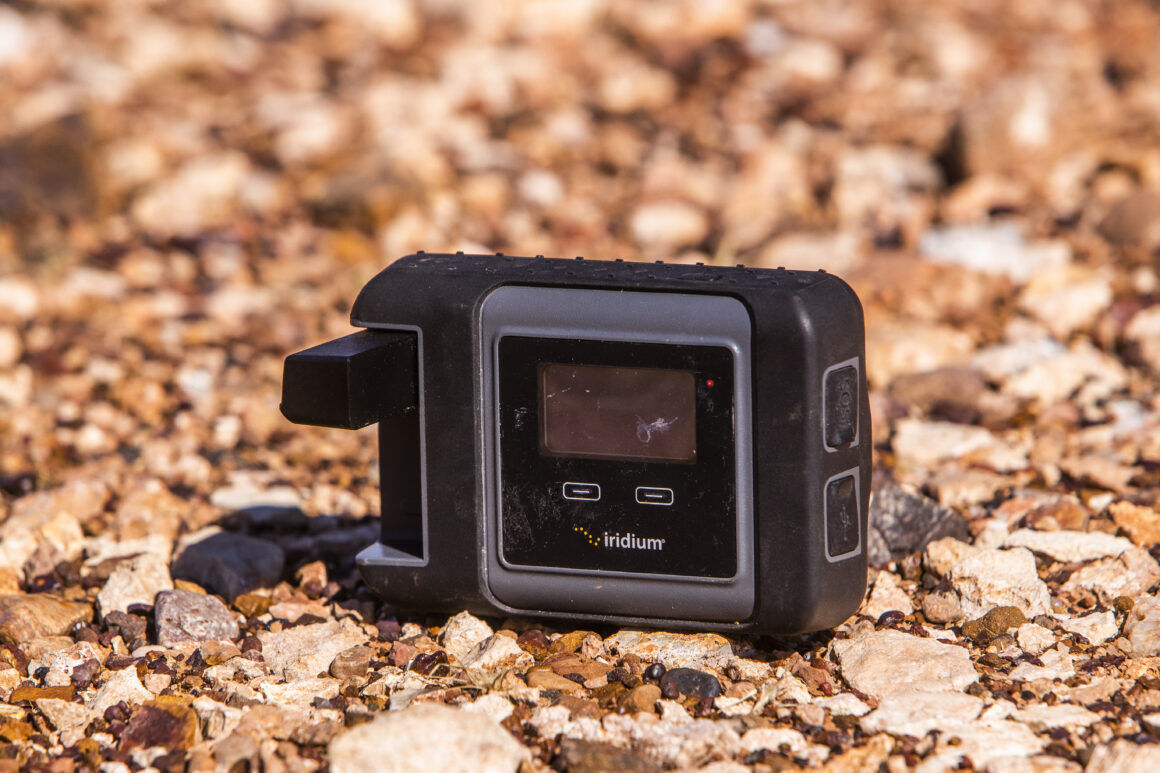
3. Satellite Phones (Iridium GO)
Satellite phones bring voice communication to the remote corners of the country. The Iridium GO pairs with your mobile, turning it into a satellite phone.
Pros
- Allows for voice communication, so you can explain your situation clearly.
- Works in areas with no mobile reception.
- Often more robust than standard phones.
Cons
- Expensive hardware and call rates.
- Call quality can be patchy, and dropouts are common.
- Requires a clear view of the sky to connect to satellites.
Tips and Tricks
- Practice calls. Before you’re in an emergency, make a test call to understand how long it takes to connect and what the process involves.
- Pre-load emergency numbers. Save numbers for AMSA, local emergency services, and loved ones.
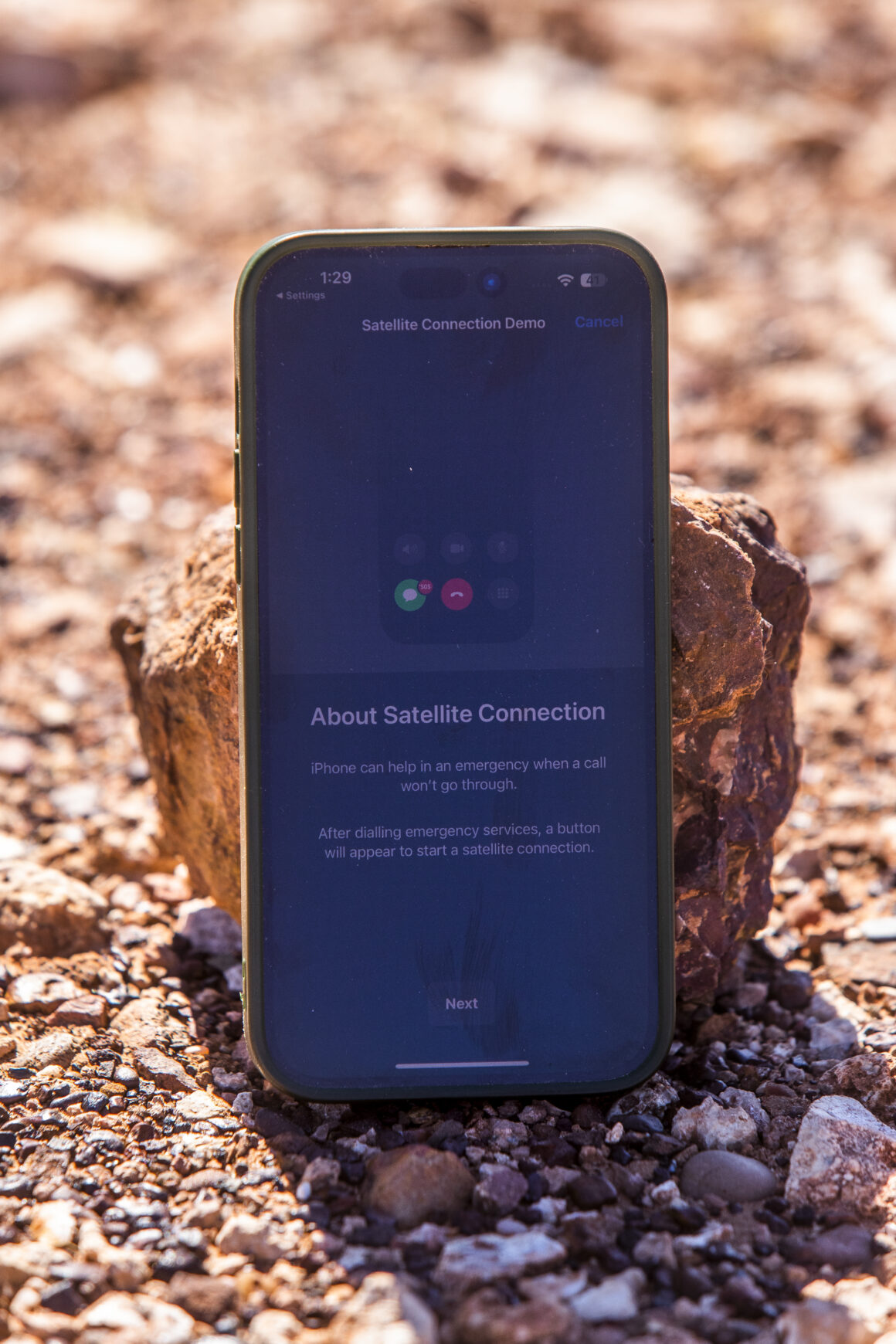
4. iPhone with Satellite SOS
Apple’s newer iPhones include a satellite SOS feature. This tech allows you to send emergency texts and share your location via satellite.
Pros
- Convenient if you already own an iPhone.
- No need for an additional device.
- Works in areas without mobile reception.
Cons
- Emergency use only—can’t replace a sat phone or messenger.
- Setup can be time-consuming in a crisis.
Tips and Tricks
- Learn the system. Familiarise yourself with the emergency texting process before you’re in a high-stress situation.
- Keep it charged. Satellite functionality is useless if your phone is dead. A power bank or solar charger is essential.
- Plan for backup. Don’t rely solely on this feature. Pair it with another device like an EPIRB.
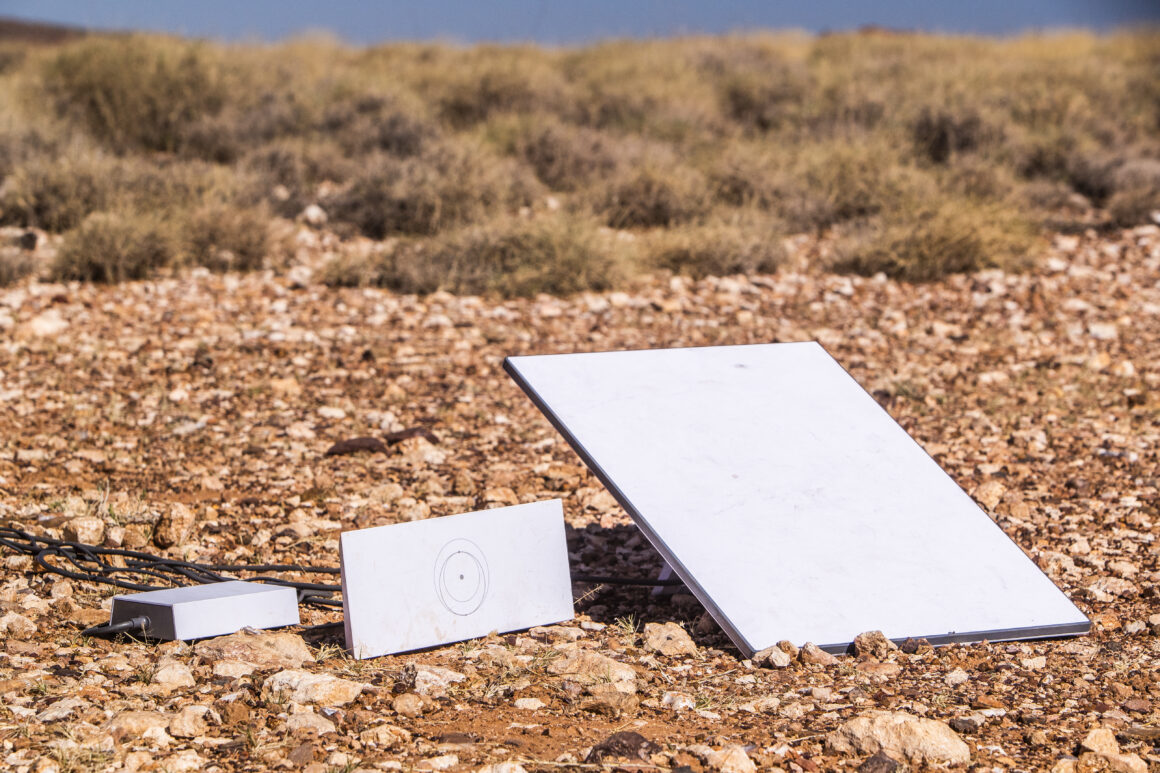
5. Starlink (Stationary or Mobile)
Starlink is the heavyweight champion for remote internet. Its stationary setup includes a satellite dish, power unit, and router, providing high-speed internet wherever you are.
Pros
- High-speed internet for emails, video calls, and Wi-Fi calling.
- Can handle multiple users—great for group trips or remote workers.
- Reliable, even in extreme locations.
Cons
- Expensive, especially the mobile setup.
- Bulky compared to other options.
- Takes time to set up and connect.
Tips and Tricks
- Set it up at camp. The stationary version isn’t designed for on-the-move use, so plan to install it at your campsite.
- Clear the sky. The satellite dish needs an unobstructed view of the sky—trees, cliffs, or heavy rain can interrupt the connection.
- Pair it with a power source. Starlink can be power-hungry, so make sure your setup includes reliable battery storage or a generator.
Final Thoughts
Choosing the right remote communication device depends on your needs, budget, and the type of trip you’re planning. At a minimum, an EPIRB is a must-have for any serious 4X4er. For those who want more flexibility, adding a satellite messenger or sat phone to your kit can make a world of difference. If you’re setting up base camp or need reliable internet, Starlink takes it to the next level.
The most important thing? Learn how to use your gear before you hit the road. Emergencies don’t wait for you to read the manual, so practice, prepare, and make sure everyone in your group knows how to activate and use your communication devices.
Stay safe, and happy adventuring!