
Pat Callinan's 4X4 Adventures
MENU
  • Advice
  • Electrical
  • Equipment
  • News
  • Travel
  • Vehicles
  • RV
SEARCH
  • Advice
  • Electrical
  • Equipment
  • News
  • Travel
  • Vehicles
  • RV
0
0
36K
Pat Callinan's 4X4 Adventures
NEWSLETTER
Pat Callinan's 4X4 Adventures
  • Advice
  • Electrical
  • Equipment
  • News
  • Travel
  • Vehicles
  • RV
Warn bluetooth
  • Equipment

Warn releases bluetooth winch controller

  • Dean Mellor
  • September 14, 2020
Total
0
Shares
0
0
0
Advertisements

With this new Warn Bluetooth winch controller you can recover your rig using your phone!

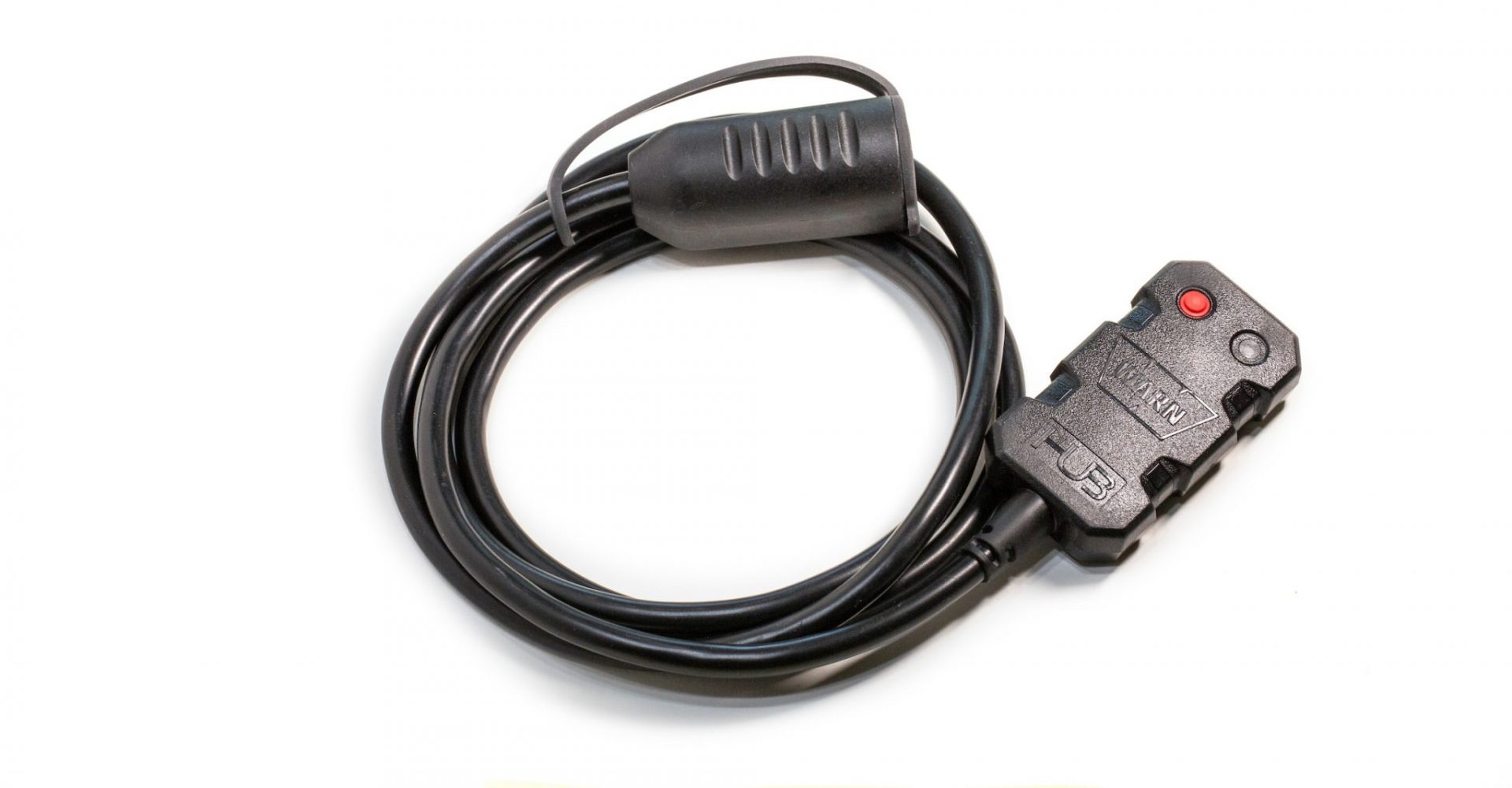
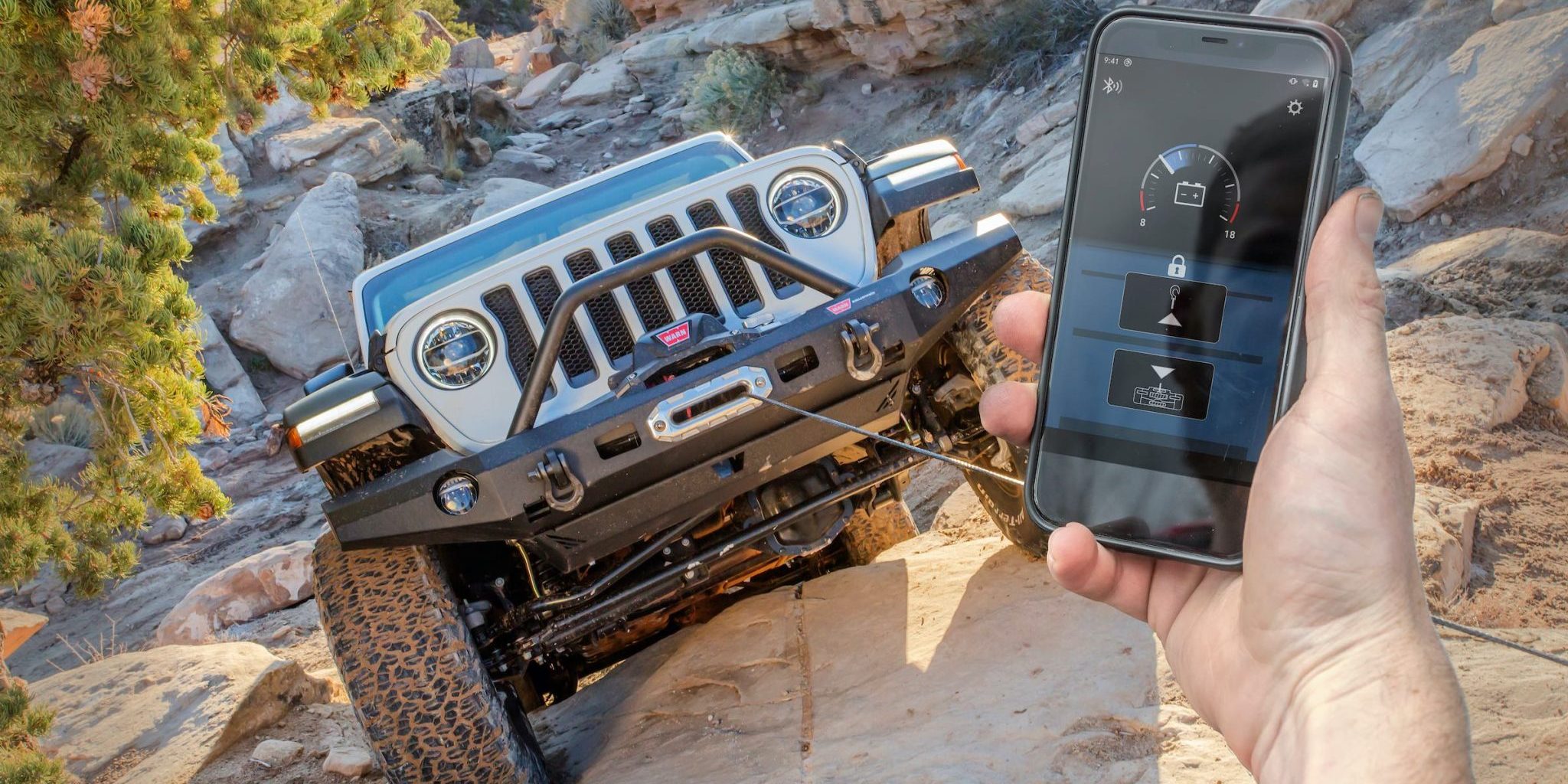
The new Warn Bluetooth winch controller allows you to pair your winch and your phone for wireless winch recoveries.

Advertisements

That’s right! Warn has developed a new HUB Receiver and App that allows users to control their winch using the Bluetooth connection on a smartphone or other smart device when paired with Warn’s free iOS or Android App.

Warn points out that so long as a user has the HUB Reciever and the HUB App on their smartphone, they’ll always have a winch remote.

The IP68 rated HUB Receiver connects into the winch using the existing winch remote socket, or included wiring (depending on winch model). The App communicates with the Receiver via Bluetooth. Warn says the set-up has a range of up to 100 feet (30m), and as well as winch operation it can monitor and display the vehicle’s battery voltage.
Warn Bluetooth

Warn says the new system is compatible with all Warn 4×4 winch models (except the Zeon Platinum), including the recently upgraded M8274, and it will also offer versions that will work with other winch brands.

The fully potted and sealed waterproof HUB Receiver can be mounted on any tubular or flat surface using included cable ties, and it features a multi-color LED to indicate connectivity status. Once mounted, it is simply plugged into the winch’s remote socket using a supplied 1.8m cable and then paired to a smart device. The App is available for both iOS and Android and can be found in the App Store or on Google Play.

A lock-out sequence prevents accidental operation and large, easy-to-see buttons are claimed to offer delay-free winch control. According to Warn, “When a user taps the screen, the winch works instantaneously and stops pulling just as fast.”

Would you use an App to control your winch? Let us know in the comments section below…
Advertisements
 
Total
0
Shares
Share 0
Tweet 0
Pin it 0
Related Topics
  • bluetooth
  • new
  • Warn
  • winch
Previous Article
2020 Ford Ranger 4x4 Xlt Doublecabchassis
  • Vehicles

Ford Ranger XLT Double Cab now in Cab Chassis configuration

  • Wes Whitworth
  • September 9, 2020
View Post
Next Article
4wd Nsw Volunteers (1)
  • Travel

4WD NSW & ACT volunteers repair hoon damage

  • Wes Whitworth
  • September 14, 2020
View Post
You May Also Like
View Post
  • Equipment

Aus J launches new EZY RV exterior shower

  • MR4X4
  • September 16, 2026
View Post
  • Equipment

WORLD FIRST FIELD TEST: We Took Sony’s New FX5 Into the Australian Outback

  • MR4X4
  • July 22, 2026
View Post
  • Equipment

How Heat Affects Your Tyres: The Hidden Danger on Outback Roads

  • Dan Everett
  • January 28, 2026
View Post
  • Equipment

Tonic Eyewear’s Recycled Fishing Line Frames Break New Ground

  • Dan Everett
  • January 5, 2026
View Post
  • Equipment

The Toughest Tyre Test: 10,000KM of Australia’s Harshest Terrain

  • MR4X4
  • December 22, 2025
View Post
  • Equipment

Are your car seats costing you thousands at trade-in time

  • Dan Everett
  • December 16, 2025
View Post
  • Equipment

Supercar Tyre Tech Off-Road: How High-Performance Engineering Enhances 4X4 Tyres

  • MR4X4
  • November 25, 2025
View Post
  • Equipment

Track Tested: Outback Armour’s GVM Upgrade

  • Dan Everett
  • October 15, 2025

Leave a Reply

Your email address will not be published. Required fields are marked *

Advertisements
Advertisements
Pat Callinan's 4X4 Adventures
  • Advice
  • Electrical
  • Equipment
  • News
  • Travel
  • Vehicles
  • RV
Designed & Developed by Pat Callinan Media.

Input your search keywords and press Enter.